








Retro arcade racing · Pseudo-3D presentation
Learn the movement before adding nitro
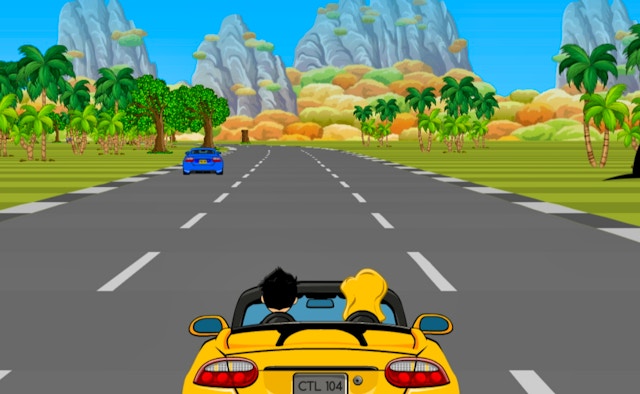
Turbo Horizon Racing recreates an arcade racing style inspired by the 1990s. Pseudo-3D visuals, colorful tracks and fast action form its presentation. WASD handles movement, and Shift is the documented nitro input, giving you a clear starting point for learning the car before boosting.
At a glance
- Arcade style inspired by nineteen-nineties racers
- WASD movement with Shift nitro
- A wide 920 × 600 racing frame
Playing guide
Enter the race and identify your car and the visible track. Watch how the pseudo-3D presentation shows the road before making several rapid control changes.
- 1
Start and observe the racing view
Enter the race and identify your car and the visible track. Watch how the pseudo-3D presentation shows the road before making several rapid control changes.
- 2
Learn the WASD response
Use the documented movement keys to guide the vehicle. Compare the result of each input so you understand how the car responds before trying to maintain a faster pace.
- 3
Add a deliberate nitro input
Press Shift to use nitro as instructed. Watch the track ahead while doing so and follow the game’s own event or finish prompts for the current race.
Input guide
Computer controls
- The provided Turbo Horizon control note assigns vehicle movement to WASD.
- Shift is the stated nitro key; other race shortcuts are not documented in that note.
Touchscreen controls
- No touch driving scheme is included in the supplied retro-racer control entry.
- Begin with a desktop keyboard; use phone controls only if the game actually displays a workable layout.
Inside the game
Pseudo-3D arcade scenery
The description emphasizes techniques associated with racing games before fully polygonal 3D became standard.
Colorful tracks at a quick pace
The stated design focuses on fast gameplay and classic arcade presentation.
Useful tactics
- Try the normal movement keys before combining them with a nitro burst.
- Keep your attention on the road’s visible direction rather than only the car sprite.
- Read any race prompts shown in the interface instead of assuming a particular lap count.
Players it suits
Retro-racing enthusiasts
The source explicitly cites the golden era of nineteen-nineties arcade racers.
Keyboard arcade players
A compact WASD and Shift scheme gives a documented input set to begin with.
Goals and progress
Follow the active racing event’s objective in the embedded interface. The official summary does not provide a track count, lap total, nitro recharge rule or scoring formula. This guide therefore describes its confirmed style and inputs without inventing progression details.
Questions answered
Which key uses nitro in this retro racer?+
Shift is explicitly given as the nitro input in the provided instructions.
Does the description confirm fully polygonal 3D graphics?+
It describes pseudo-3D visuals inspired by the era before fully polygonal 3D became standard.
Will the translated racing guide change the embedded event labels?+
The guide belongs to this page; event labels inside the provider’s racer may use a separate language.
Embedded provider
The retro racing frame is external GameMonetize content. Provider prompts and possible advertisements appear within that hosted game area.
Try a retro race with measured inputs
Learn how WASD affects the car, then try Shift when you can read the track ahead.
↑ Play Turbo Horizon Racing