

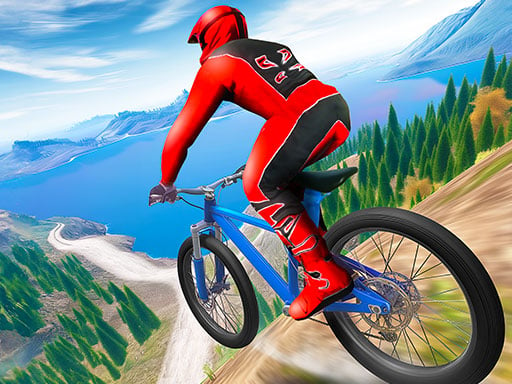
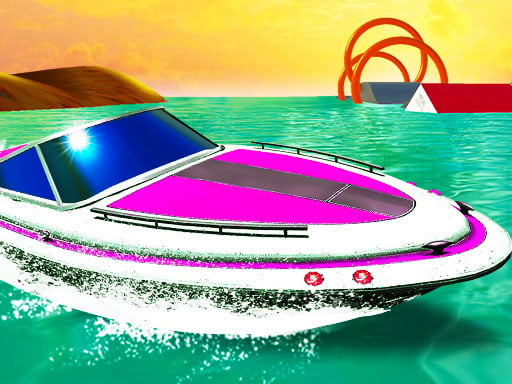
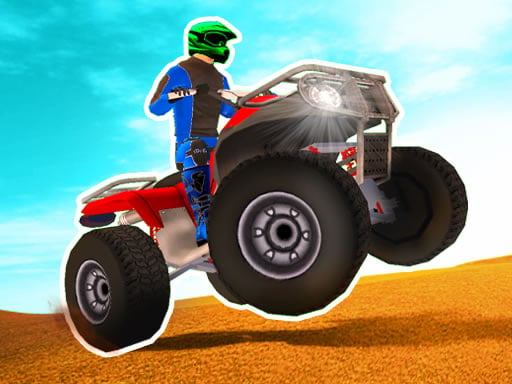



Large vehicles · Four driving modes
Monster Cars: Ultimate Simulator – Driving and Modes
Monster Cars: Ultimate Simulator is RHM Interactive’s large-vehicle driving game. Its published modes include Free Drive, circuit races, fly races and time attack. Drive alone or use separate local keyboard controls with a friend. The vehicle selection offers different designs, power and stability, so read the current route and test the selected car before boosting.
Quick facts
- Monster Cars: Ultimate Simulator by RHM Interactive
- Large vehicles · Four driving modes
- Monster Cars: Ultimate Simulator supports local keyboard play
How to play
Match the vehicle to the mode. Exploration, route races and timed challenges do not reward the same detours.
- 1
Read the selected mode
Choose the mode and read its goal. Free Drive supports exploration; circuit, fly-race and time-attack options place different demands on completing the displayed challenge.
- 2
Learn the selected vehicle
Test a turn and short acceleration in clear terrain. Vehicle power and stability differ, so a new car may need more room or earlier heading correction.
- 3
Line up before NOS or a ramp
Choose the path before NOS. For a launch, inspect the landing area and the direction needed afterward; reaching the next section quickly is not useful at the wrong angle.
- 4
Coordinate a local second driver
Local player 1 uses WASD with Left Shift NOS; player 2 uses arrow keys with N. Confirm the mode and individual key groups before starting.
Keyboard controls
Desktop controls
- One-driver mode in Monster Cars uses WASD or arrow keys for driving and Left Shift for NOS.
- Space is the published single-player handbrake key; use it deliberately when adjusting the vehicle’s path.
- Local player 1 drives on WASD with Left Shift boost; local player 2 drives on arrow keys with N boost.
- The distribution instructions also list player 1 C/R for camera/reset and player 2 I/P for camera/reset.
Phone and tablet
- Monster Cars is a desktop-keyboard choice in this guide because the official Mobile Ready field says No. Driving, boost and utility commands are documented as keys, without a verified phone controller.
Game features
Different power and stability
The published cars vary in design, power and stability. Observe a selected vehicle before committing to a tight route.
Four mode types
Free Drive, circuit races, fly races and time attack give different uses for the map and different ways to judge progress.
One computer, two drivers
Separate local movement and NOS keys let two drivers compare approaches and vehicle choices beside one another.
Practical tips
- Learn the turning space of your current car before comparing it with a more powerful choice.
- Look for the needed direction after landing instead of concentrating only on jump height.
- Set the heading before NOS; extra speed makes an undecided turn harder to correct.
- Keep Free Drive experiments separate from time attack, where unnecessary detours compete with the objective.
Who might enjoy it
Players interested in varied vehicles
Use a consistent stretch of terrain to compare vehicle handling, rather than relying on design alone.
Friends who prefer shared-device driving
Friends can use distinct WASD and arrow-key controls for local driving across different challenge types.
Goals, score and progress
Judge progress by the selected mode: exploration in Free Drive, the displayed course goal in circuit or fly races, and the time requirement in time attack. Use the game’s results; no common points formula or fixed stunt reward is verified.
Game questions answered
Which modes are in Monster Cars: Ultimate Simulator?+
Published modes include Free Drive, circuit races, fly races and time attack. Read the selected challenge before driving; their objectives are not interchangeable.
What is the nitro key for the second player?+
Player 2 uses N for NOS and arrow keys for movement. Player 1 uses Left Shift and WASD, so decide the key groups before a local challenge.
Why should I test a vehicle before a race?+
The official description says design, power and stability vary. A short test reveals steering and acceleration before a difficult route, so you can choose a vehicle that suits the route.
What does Space do?+
Space is listed as the single-player handbrake. Use it deliberately for route adjustment; do not expect identical turning behaviour from every vehicle.
Should I use a phone for Monster Cars?+
A computer keyboard is recommended. Official Mobile Ready is No, and the published movement and utility actions use keys. Phone controls have not been verified.
Sources for this guide
Guide checked:
Choose the car, then read the route
Try one vehicle at a manageable pace before adding NOS or changing to a more demanding mode.
↑ Play Monster Cars: Ultimate Simulator