




Drive down the mountain in Deadly Descent
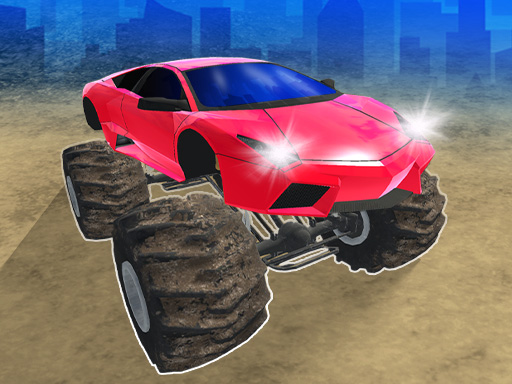
Deadly Descent is a downhill driving game by Andrey Melnikov. You start above a mountain course filled with crates, ramps, and narrow ledges. Pick a route through the obstacles and get the car to the finish in one piece. Impacts visibly deform the vehicle, and a hard hit or a fall can bring your run to an early end.
Game at a glance
- Downhill driving on several mountain tracks
- Visible vehicle damage from collisions
- Keyboard controls on desktop and touch buttons on mobile
How to play
Look ahead before committing to a steep section. An open path at the top of a slope can lead into a tight corner or a row of obstacles further down.
- 1
Find a clear line
Start down the track at a pace you can control. Look beyond the next crate so you have room to steer after passing it.
- 2
Set up for ledges and ramps
Line up early on narrow sections and try to approach a ramp with the car pointed toward the landing. Make small corrections when there is little space beside the road.
- 3
Finish the run
Reach the finish with the car still intact. If the vehicle is destroyed, use the in-game Finish button to see the distance you covered before trying again.
Controls
Desktop
- Drive with WASD or the arrow keys.
- Press C to cycle through camera views.
Phone and tablet
- Use the on-screen touch buttons to drive.
What to watch on the way down
Vehicle damage
A crash can bend the car or end the descent altogether. Give crates and other obstacles a little extra space when the track allows it.
Camera views
On desktop, try another camera angle if the car blocks your view of an upcoming bend. Make the switch before you reach the narrowest stretch.
Driving tips
- Ease off before a tight turn so you have room to line up the exit.
- If you keep hitting the same obstacle, change your approach earlier on the next run.
- On a ledge, steer in small steps and leave room between the car and the edge.
Who might enjoy it
Players who enjoy technical driving
Each attempt gives you a chance to learn one more bend or find a cleaner approach to a jump. Try a different track once you know the route you started on.
Run goal
The goal is to reach the bottom of the course without wrecking your car. If you fall short, use the distance shown at the end of the run to gauge how far you got.
Common questions
How do I change the camera on a computer?+
Press C during the descent to cycle through the available camera views.
What should I do if my car is destroyed?+
Click the Finish button in the game to end the run and see your final distance. You can then retry the track or choose another one.
Can I play on a phone?+
Yes. Use the touch buttons shown inside the game to drive.
What is the main objective?+
Get from the top of the mountain course to the finish without destroying the vehicle.
Play Deadly Descent
Choose a track and look for a clear route down the first slope.
↑ Play now