









Fantasy forest · Shape placement
Magic Forest: Block Puzzle — keep the forest board open
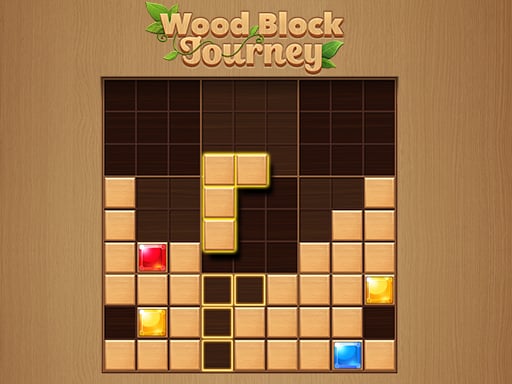
Magic Forest: Block Puzzle is Playtouch’s fantasy-themed shape-placement game. Move the offered blocks into the playing area and complete lines to remove occupied cells. The forest artwork frames a spatial puzzle: each placement changes both the lines you can finish and the openings available for later shapes.
Quick facts
- Created by Playtouch
- Fantasy forest presentation
- Drag shapes to complete lines
How to play
Compare a piece’s footprint with the available spaces before dropping it. A good move fits now and helps keep the board useful afterward.
- 1
Study the empty areas
Look for openings that match the offered shape. Check its corners and protruding cells, not only the rectangular area that surrounds it.
- 2
Drag into a clear position
Hold the left mouse button on a block, move it into the playing area, and release where the entire shape fits. Watch the placement preview if one is displayed.
- 3
Build a complete line
Use later pieces to finish a line and remove its occupied cells. Then reconsider your plan using the fresh openings instead of continuing an outdated arrangement.
Controls
Desktop controls
- Hold the left mouse button on a shape and drag it to the board.
- Release to place; use the game’s own buttons to start a new round or open its menus.
Phone and tablet
- Use touch dragging to move a shape across the portrait playing area.
- Give yourself enough visible board space to check the landing cells before lifting your finger.
What makes this puzzle different
A forest setting
The fantasy presentation gives this line-clearing puzzle its identity. Focus on the placement cells when scenery makes a narrow gap harder to spot.
Building and clearing
Every block first occupies space, while a completed line gives space back. The balance between those actions determines whether the next shape has a useful opening.
Practical placement tips
- Work toward a line that is already nearly complete rather than starting several disconnected unfinished lines.
- Keep a broad connected opening alongside the area you are filling; an oddly shaped piece may need more than a few scattered cells.
- Before placing a small shape in a corner, check whether it creates an isolated hole that the available pieces cannot cover.
Who might enjoy it
Players who enjoy illustrated puzzles
The forest theme suits people who want a decorative setting around a readable placement challenge.
Fans of line-clearing blocks
The familiar place-and-clear loop offers a way to compare different board arrangements without learning combat or movement controls.
Score, goals and the end of a round
Use completed lines to recover board space and continue placing shapes. Follow the current round’s score, objective, and result prompts. As the playing area becomes crowded, compare the offered shapes with your remaining legal openings before filling another small gap. A clear is most helpful when it creates an opening you can actually use.
Game questions answered
How do you play Magic Forest: Block Puzzle?+
Drag the offered shapes into empty spaces and complete lines to remove occupied cells. Compare each whole shape with the opening before you release it.
Do you control a character in the forest?+
No. The forest is the visual setting for a block-placement puzzle; the main interaction is arranging shapes in the playing area.
What is the desktop control?+
Hold the left mouse button, drag a block into position, and release. That is the control given in the published game instructions.
What should I check after a line clears?+
Look at the new openings and compare them with your offered shapes. Clearing cells changes the board, so the best landing position may now be different from the one you planned earlier.
Sources for this guide
Guide checked:
Arrange a cleaner forest board
Choose one line to finish and preserve a connected opening while you work toward it.
↑ Play Magic Forest: Block Puzzle